Note
Go to the end to download the full example code.
Restricting point picking to one axes
set_pickable(False) excludes an axes from the interactive toolbar’s
Point Picking tool – a click there behaves as if it missed every axes.
Annotate Point resolves to a datum the same way, so it respects this
too; Axis Span, Axis Zoom, Pan/Zoom, Annotate, and
Annotate Arrow are unaffected, so a figure can restrict picking to a
single panel while every other tool still works everywhere. The static
image below looks like an
ordinary grid – the effect only shows up in interactive=True output, so
this is also a live figure in the online docs.
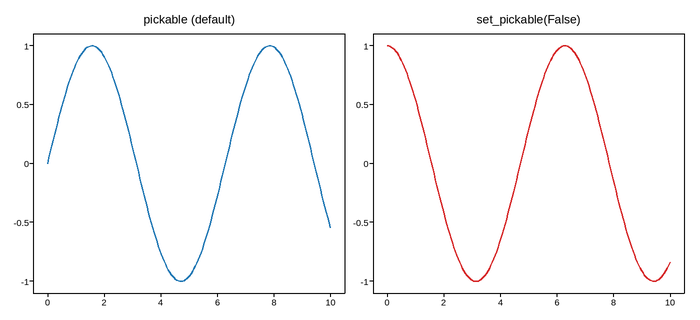
Live figure — pick a tool, then zoom, pan, point-pick or annotate. Nothing is active until a tool is selected.
View this figure’s Vega export ↗ — the raw JSON spec, rendered live by a real Vega engine.
View this figure’s Vega-Lite export ↗ — the raw JSON spec(s), rendered live by a real Vega-Lite engine.
import numpy as np
import plotpress

x = np.linspace(0, 10, 200)

fig, (left, right) = plotpress.subplots(1, 2, figsize=(7, 3.2))
left.plot(x, np.sin(x), color="#1f77b4")
left.set_title("pickable (default)")
right.plot(x, np.cos(x), color="#d62728")
right.set_title("set_pickable(False)")
right.set_pickable(False)
fig.tight_layout()
Total running time of the script: (0 minutes 0.057 seconds)