Note
Go to the end to download the full example code.
Slice: only the axes you choose
On a grid of meshes, slicing every one would bury the two you care about under sliders and strips. The Axes to slice radio in the Slice menu picks between All axes and Selected axes; choosing the latter lets you click axes on the figure to add or remove them (the menu’s Choose axes on figure re-enters that mode, and Esc leaves it). Axes left out stay plain heatmaps, and Link all matching axes couples only the chosen ones.
To start with a selection, pass the axes (or their indices) as axes. Here a
3 x 3 grid of mode patterns starts with just the top-left and centre modes
sliced; click any other panel to bring it in, or click a chosen one to drop it.
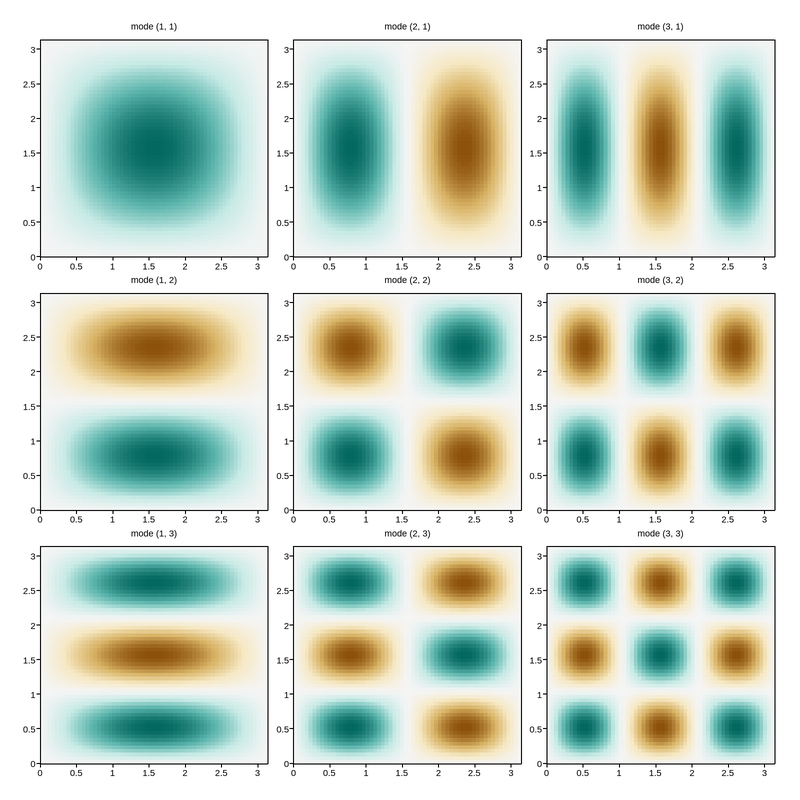
This figure has 9 panels — too many to usefully embed at a fixed size.
Open the full interactive example in a new page to pick a tool, then zoom, pan, point-pick or annotate any panel.
View this figure’s Vega export ↗ — the raw JSON spec, rendered live by a real Vega engine.
View this figure’s Vega-Lite export ↗ — the raw JSON spec(s), rendered live by a real Vega-Lite engine.
import numpy as np
import plotpress

x = np.linspace(0, np.pi, 61)
y = np.linspace(0, np.pi, 61)
X, Y = np.meshgrid((x[:-1] + x[1:]) / 2, (y[:-1] + y[1:]) / 2)

fig, axs = plotpress.subplots(3, 3, figsize=(8, 8))
for i in range(3):
    for j in range(3):
        ax = axs[i, j]
        ax.pcolormesh(x, y, np.sin((j + 1) * X) * np.sin((i + 1) * Y), cmap="BrBG", vmin=-1, vmax=1)
        ax.set_title(f"mode ({j + 1}, {i + 1})", fontsize=9)
fig.tight_layout()

_gallery_interactive_options = {"slice": {
    "enabled": True, "axes": [axs[0, 0], axs[1, 1]], "link_all": True}}
Total running time of the script: (0 minutes 0.211 seconds)