Note
Go to the end to download the full example code.
Image (imshow)
alpha blends the image into whatever is drawn underneath it – here, a
scatter of sample points laid down first stays visible through the field.
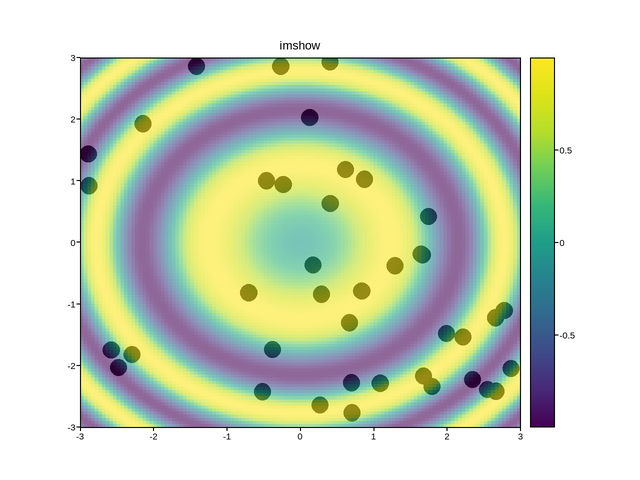
Live figure — pick a tool, then zoom, pan, point-pick or annotate. Nothing is active until a tool is selected.
View this figure’s Vega export ↗ — the raw JSON spec, rendered live by a real Vega engine.
View this figure’s Vega-Lite export ↗ — the raw JSON spec(s), rendered live by a real Vega-Lite engine.
import numpy as np
import plotpress

rng = np.random.RandomState(0)
g = np.linspace(-3, 3, 120)
X, Y = np.meshgrid(g, g)
Z = np.sin(X ** 2 + Y ** 2)
fig, ax = plotpress.subplots()
ax.scatter(rng.uniform(-3, 3, 40), rng.uniform(-3, 3, 40), color="k", s=12)
im = ax.imshow(Z, cmap="viridis", extent=(-3, 3, -3, 3), alpha=0.6)
ax.set_title("imshow"); fig.colorbar(im, ax=ax)
Total running time of the script: (0 minutes 0.126 seconds)