Note
Go to the end to download the full example code.
Twin axes (twinx / twiny)
twinx overlays a second y-scale on a shared x-axis, drawn on the right;
twiny is its transpose – a second x-scale on a shared y-axis, drawn on
the top. Same idea, the other pair of edges.
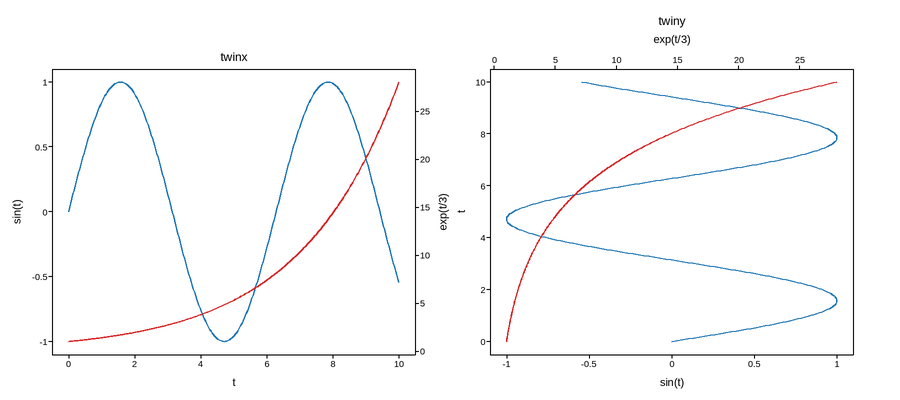
Live figure — pick a tool, then zoom, pan, point-pick or annotate. Nothing is active until a tool is selected.
View this figure’s Vega export ↗ — the raw JSON spec, rendered live by a real Vega engine.
View this figure’s Vega-Lite export ↗ — the raw JSON spec(s), rendered live by a real Vega-Lite engine.
import numpy as np
import plotpress

t = np.linspace(0, 10, 300)

fig, (ax1, ax2) = plotpress.subplots(1, 2, figsize=(9, 4))

ax1.plot(t, np.sin(t), color="#1f77b4")
ax1.set_xlabel("t")
ax1.set_ylabel("sin(t)")
ax1b = ax1.twinx()
ax1b.plot(t, np.exp(t / 3), color="#d62728")
ax1b.set_ylabel("exp(t/3)")
ax1.set_title("twinx")

ax2.plot(np.sin(t), t, color="#1f77b4")
ax2.set_ylabel("t")
ax2.set_xlabel("sin(t)")
ax2b = ax2.twiny()
ax2b.plot(np.exp(t / 3), t, color="#d62728")
ax2b.set_xlabel("exp(t/3)")
ax2.set_title("twiny")
fig.tight_layout()
Total running time of the script: (0 minutes 0.127 seconds)